
How to Get Your Business Recommended by ChatGPT and Google AI Overviews (2026 Guide)
AI tools now answer “who should I hire?” questions directly. Here are 8 practical steps to help ChatGPT, Google AI Overviews and Copilot find, trust and mention your business.
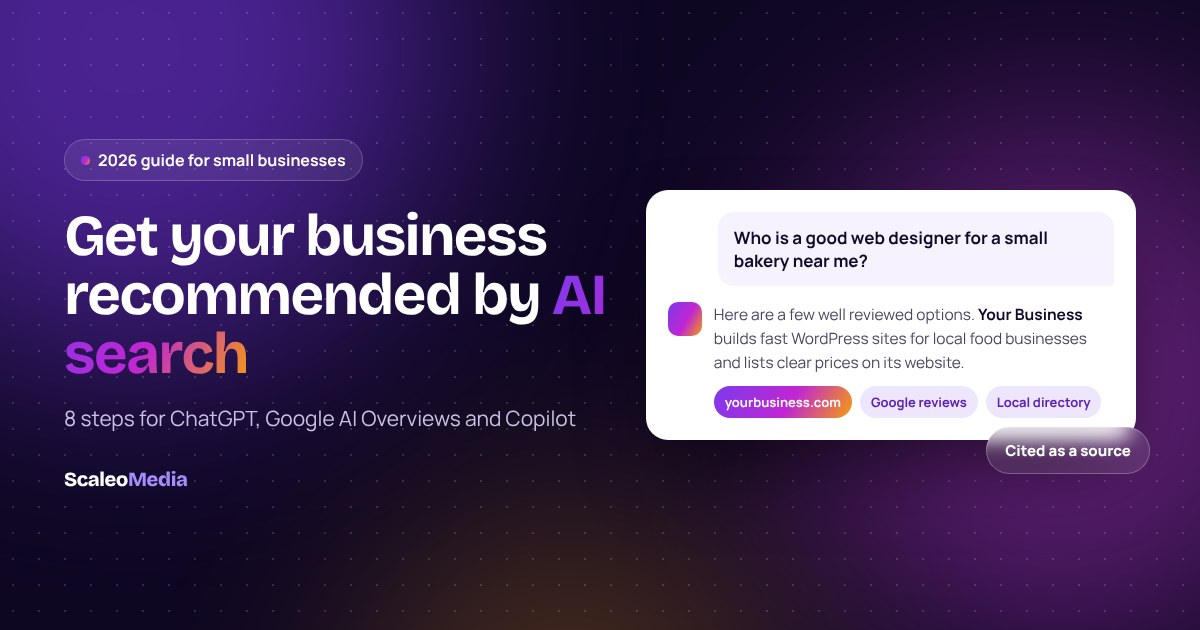
People no longer only type “web designer near me” into Google and scroll. They ask ChatGPT, Google’s AI Overviews or Microsoft Copilot “who is a good web designer for a small bakery?” and get a short answer with a few names. If your business is not one of those names, you can lose the enquiry before anyone sees your website.
The good news: you do not need a special trick or a paid placement. AI tools recommend businesses they can find, understand and trust. This guide shows how to make your business all three, in plain English, with a checklist you can work through this month.
Key takeaways
- Google says there are no special requirements to appear in AI Overviews or AI Mode. Your pages need to be indexed and eligible to show a snippet.
- ChatGPT search finds websites through a crawler called OAI-SearchBot. If your robots.txt blocks it, you will not appear in ChatGPT search answers.
- Clear, answer-first pages and consistent business details across the web make it easier for AI tools to describe you correctly.
- You can measure results: Search Console includes AI Overviews traffic, and Bing Webmaster Tools reports Copilot citations.
What AI search means for small businesses
AI search is any tool that writes an answer instead of only listing links. The biggest is Google’s own: AI Overviews reached more than 2 billion monthly users in 2025, according to figures Google shared with investors (TechCrunch, July 2025). ChatGPT, Microsoft Copilot and Perplexity add hundreds of millions more people asking questions every week.
For a local or service business this matters most for “recommendation” questions: who to hire, which company is best for a job, or what something should cost. These answers usually mention only a handful of businesses and link to their websites as sources. Being one of those sources is the new version of ranking on page one.
How AI tools choose which businesses to mention
Most AI search tools follow the same basic path. They search the web, read the pages they find, and then write an answer that cites a few of them. Google describes this for AI Overviews and AI Mode as a “query fan-out”, where the system runs several related searches across subtopics to build one response (Google Search Central).
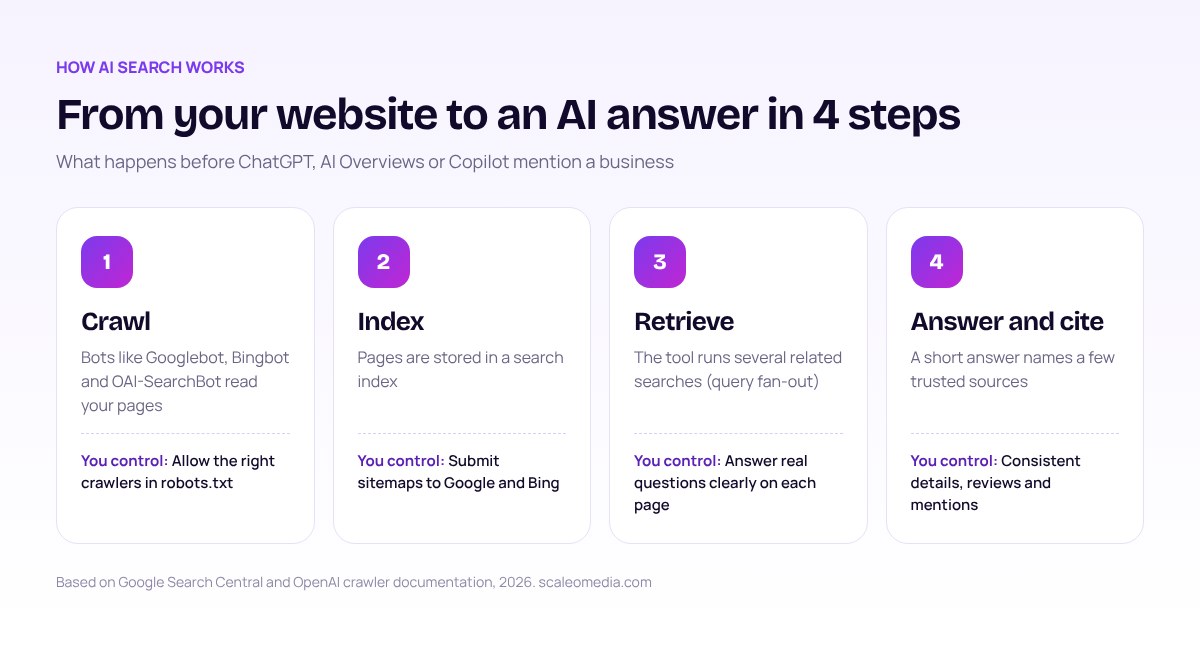
That path gives you four things to work on: let the crawlers in, make sure your pages are indexed, write content that answers the exact question, and build enough trust that your business is worth citing.
Where each AI tool gets its information
Each tool relies on its own crawler and search index. That is why a business can appear in one AI tool and be missing from another. Use this table to check that you are covered everywhere.
| AI tool | Main source of web results | Crawler to allow | How to measure it |
|---|---|---|---|
| Google AI Overviews and AI Mode | Google Search index | Googlebot | Search Console, Performance report (Web) |
| ChatGPT search | OpenAI search crawling plus search partners | OAI-SearchBot | Monthly test prompts |
| Microsoft Copilot | Bing index | Bingbot | Bing Webmaster Tools, AI Performance report |
| Perplexity | Its own index plus live search | PerplexityBot | Monthly test prompts |
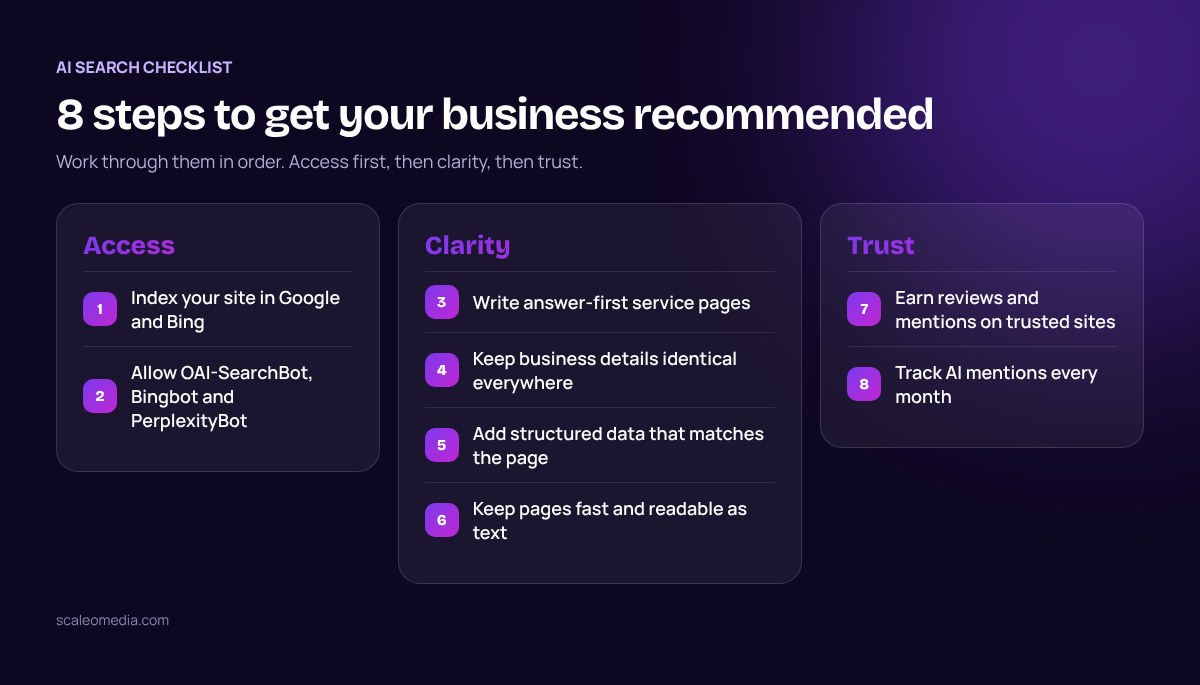
8 steps to get your business recommended
Work through these in order. The first three fix access and clarity, which is where most small business sites fall short.
1. Make sure Google and Bing have indexed your site
Google states that to be eligible as a supporting link in AI Overviews or AI Mode, a page must be indexed and eligible to show in Search with a snippet, and that there are “no additional technical requirements” (Google Search Central). Verify your site in Google Search Console and Bing Webmaster Tools, submit your XML sitemap to both, and use URL Inspection to confirm your key pages are indexed. Copilot leans on Bing, so skipping Bing means skipping Copilot.
2. Let the right AI crawlers in
OpenAI documents that OAI-SearchBot “is used to surface websites in search results in ChatGPT’s search features” (OpenAI). Blocking it keeps you out of ChatGPT search answers. GPTBot is different: it controls whether your content can be used to train models, not whether you appear in search. Many sites block all AI bots by accident through a security plugin or a copied robots.txt file. Check yours includes rules like these:
User-agent: OAI-SearchBot
Allow: /

User-agent: PerplexityBot
Allow: /

User-agent: Bingbot
Allow: /

Sitemap: https://yourbusiness.com/sitemap_index.xml
3. Write answer-first pages for real customer questions
AI tools quote short, clear passages. Give each service its own page and open it with a direct answer: what you do, who it is for, where you work and what it costs. Then add the detail. A page titled “Emergency plumber in Leeds, available 24/7, call-out from £80” is far easier to cite than a page that only says “Quality solutions for your home”. Add a short FAQ to each service page using the questions customers actually ask you.
4. Keep your business details identical everywhere
Your business name, address, phone number, opening hours and services should match on your website, Google Business Profile, Bing Places, Apple Business Connect and key directories. AI tools cross-check sources, and mismatched details make them less confident. For local results, Google says completeness and accuracy of your Business Profile helps it match you to searches (Google Business Profile Help).
5. Add structured data that matches your page
Google says there is no special schema markup needed for its AI features. Standard markup still helps search engines read your business correctly. Use Organization or LocalBusiness on your home or contact page and Service markup on service pages, and make sure every detail in the markup is also visible on the page.
6. Keep pages fast and readable as text
Crawlers need to read your content quickly. Put important information in plain HTML text, not only inside images, PDFs or sliders. Keep pages fast on mobile, link related pages together, and avoid hiding prices or service areas behind forms.
7. Earn mentions on sites AI tools already trust
AI answers lean on sources beyond your own website: reviews, industry directories, local news, trade associations and comparison articles. Ask happy customers for honest reviews, join the directories that matter in your industry, and look for genuine opportunities to be quoted or listed. Never buy or fake reviews. It breaks platform rules and can get your profile suspended.
8. Track mentions every month
Pick 10 to 15 questions your customers would ask, such as “best accountant for freelancers in Austin”. Ask them in ChatGPT, Google, Copilot and Perplexity once a month and write down who gets mentioned. Over time you will see which pages and sources are working.
How to check if it is working
Google includes clicks from AI Overviews and AI Mode in the Search Console Performance report under the Web search type (Google Search Central). Microsoft added an AI Performance report to Bing Webmaster Tools in February 2026 that shows how often Copilot cites your pages and which queries triggered the citations (Search Influence analysis). For ChatGPT and Perplexity there is no official dashboard yet, so a simple monthly prompt log is the most reliable method.
| Test question | Tool | Were you mentioned? | Who was cited instead |
|---|---|---|---|
| Best web designer for a dental clinic in Toronto | ChatGPT | Not yet | Two directory listings |
| Affordable SEO for a small law firm UK | Google AI Overviews | Yes, as a source | Your service page |
| Who builds WordPress sites for cafes in Sydney | Perplexity | Not yet | A review site |
Common mistakes to avoid
- Blocking every AI bot in robots.txt, including the ones that power search answers.
- Thin service pages with no prices, locations or real details.
- Different business names or phone numbers across directories.
- Chasing tricks such as hidden text for AI or paid “AI placement” offers.
- Never checking Bing, even though Copilot depends on it.
Frequently asked questions
Short answers to the questions small business owners ask us most about AI search.
Can I pay to be recommended by ChatGPT or Google AI Overviews?
No. Neither tool sells placement in its answers. Mentions come from the pages and sources the tools can find and trust, which is why the work looks a lot like good SEO.
Do I need an llms.txt file?
It is optional. Google says you do not need any new machine-readable files or AI text files to appear in AI Overviews or AI Mode. An llms.txt file will not hurt, but your crawl access, content and reputation matter far more.
Do I need special schema markup for AI search?
Google says there is no special schema.org markup required for its AI features. Standard structured data such as Organization or LocalBusiness still helps search engines understand your business, as long as it matches what is visible on the page.
How long does it take to show up in AI answers?
If your site is already indexed, changes can show within weeks after the pages are recrawled. For a new site or a competitive service, expect several months, because AI tools lean on the same signals that take time to build in classic search.
How do I know if AI search is sending me traffic?
Clicks from Google AI Overviews and AI Mode are included in the Search Console Performance report under the Web search type. Bing Webmaster Tools has an AI Performance report that shows how often Copilot cites your pages. For ChatGPT and Perplexity, run a fixed set of test prompts each month and record who gets mentioned.
Want this done for you?
We help small businesses in the US, UK, Canada and Australia get found in Google and AI search, with fixed prices and plain English reporting.
Getting recommended by AI tools is not a separate discipline from SEO. It rewards the same fundamentals: a site that can be crawled, pages that answer real questions, and a reputation that other trusted sources back up. Start with the first three steps this week, then build trust month by month. If you want a second pair of eyes, our technical SEO audit checks crawler access, indexing and schema for $149.
Sources
- Google Search Central, “AI features and your website” (retrieved 27 October 2026)
- OpenAI, “Overview of OpenAI crawlers” (retrieved 27 October 2026)
- TechCrunch, “Google’s AI Overviews have 2B monthly users” (23 July 2025) (retrieved 27 October 2026)
- Search Influence, “Inside Bing’s new AI Performance report” (February 2026) (retrieved 27 October 2026)
- Google Business Profile Help, “Tips to improve your local ranking on Google” (retrieved 27 October 2026)
Keep reading
Related services
Want help putting this guide into practice?
Free 30 minute call
Want help getting found in AI search?
Book a free 30 minute Google Meet call. We check your site, crawler access and local listings, then send a fixed quote.
- Fixed quote in writing
- You own everything
- No long contracts
What happens next
- 1
Tell us about your business
A short form or an email. It takes two minutes.
- 2
Free 30 minute Google Meet call
We look at your site, goals and competitors together.
- 3
Fixed quote in writing
Scope, price and timeline. You decide, no pressure.
Email adminscaleomedia@gmail.com